Look with Fovelio. Edit with Studio. A separate, offline image editor for Mac, with privacy-first editing and an inspectable PSD compatibility workflow.
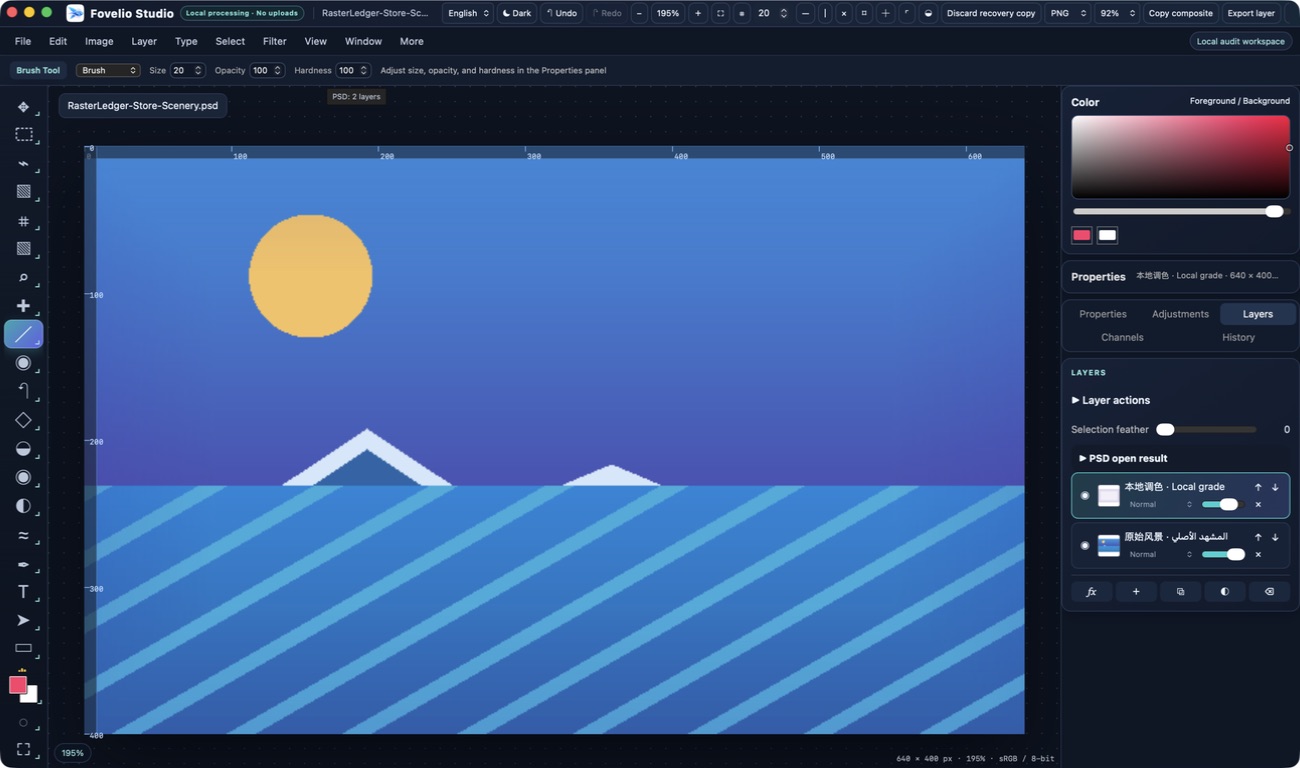
Your editing stays local
Create a canvas or open an image. Work with layers, masks, selections, text, painting, common adjustments, and image exports. Save your editable work as a Fovelio Studio project. Local editing requires no account and does not upload your files.
Know what happens to your PSD
Studio reports what was preserved, converted, or omitted when a PSD/PSB opens. Before export, compatibility checks disclose or block unsupported write-back. Keep your original file unchanged and use the project format for ongoing editing.
Clear limits, not compatibility promises
Not every PSD/PSB structure is editable or survives a lossless round trip. Some smart objects, effects, advanced blending, groups, and other resources can be preview-only, approximated, rasterized, or omitted. The per-file report explains the result. RAW imports use macOS decoding into raster pixels, not parameterized RAW development. The editing workflow is currently sRGB, 8-bit.
One family, two distinct products
Fovelio is the folder-native viewer for browsing, comparing, and presenting media. Studio is the separate editor for creating and changing images. Studio is not presented as an included update to the viewer. Its first release is still being prepared; release availability and pricing are not announced here.
Optional services are separate
The More page can request the developer catalog and icons. Optional cloud tools open in your browser after confirmation. Anything you actively submit on those websites is processed under their policies; Studio does not automatically upload editing files.